Daylight Luminos Review: Studio Color Accuracy Test
19th Mar•10 min read
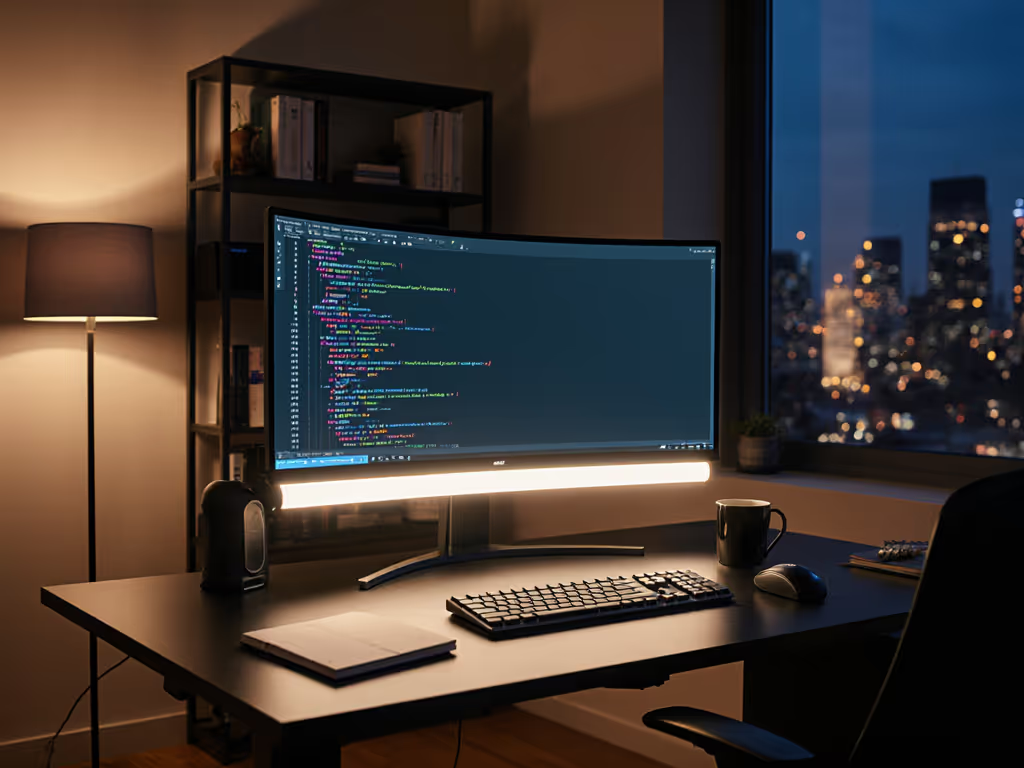
The BenQ ScreenBar Halo delivers 500 lux at the work surface within a 65 cm × 40 cm coverage area, a threshold that meets or exceeds guidance for sustained screen and reading tasks. Rather than chasing peak brightness, this monitor-integrated light prioritizes uniform, glare-free illumination and adaptive dimming, positioning itself as a precision tool for remote workers, creatives, and anyone fatigued by desk-side lighting tradeoffs.
Most monitor lights advertise lumens; the ScreenBar Halo indexes on desk-level illuminance, a critical distinction. The 50 cm light bar, mounted horizontally above your monitor, achieves its 500 lux target not through raw output but through deliberate beam geometry and a 35° adjustable head. This matters: a desk lamp posting "1200 lumens" may hit a single hot spot while leaving adjacent workspace dark (a reality I confirmed years ago when a week of late-night editing produced migraines and a frustrating lux map across my desk). The Halo's asymmetrical optical design sidesteps this by bending light downward and outward, away from screen surfaces, while concentrating illumination across the work plane.
The coverage footprint (65 cm × 40 cm maximum) accommodates most 24" to 27" dual-monitor setups and standard desk depths. For tailored placement tips and glare control across two screens, see our dual monitor lighting guide. For smaller surfaces or hyper-compact layouts, the 50 cm bar may overshoot; for sprawling drafting tables or studio configurations, it may undersupply shadow-prone corners. Measure at the desk, not the box: lux plus uniformity. For the science behind target levels and placement, read our 500 lux eye comfort guide.
Traditional desk lamps scatter light omnidirectionally, creating reflections on glossy monitors, glass, and wet surfaces, a common complaint among video creators and designers working with high-contrast displays. The ScreenBar Halo's asymmetrical optical design deliberately shifts beam shape to minimize screen spill. The mechanism: a lampshade diffuser that front-loads light intensity toward the desk and backlight zones while reducing the fraction bouncing toward the monitor face.
In practice, this translates to visible contrast preservation on your screen; text remains crisp, and video playback does not wash out. The backlight function (illuminating the wall behind your desk) adds a secondary benefit: it reduces the luminance ratio between your display and surroundings, lowering perceived eye strain during long sessions.
One caveat: uniformity across the illuminated area is not perfect. The design prioritizes coverage span over pixel-level consistency; expect gentler falloff at the beam edges rather than a hard cutoff. For color-critical work (photo retouching, model painting), this secondary illumination (200 to 300 lux at desk edges, not 500) may suffice for context but not for critical tone or hue judgment. Pair the Halo with a dedicated color-critical light or calibrated monitor profiling for those tasks.
The 100% wireless controller decouples adjustment from physical access, freeing desk space and reducing cable clutter. Touch buttons govern brightness, color temperature, mode (front/backlight/both), favorites recall, and automatic dimming.
The built-in ambient sensor detects room light and adjusts the Halo's output to maintain approximately 500 lux at your work surface. As afternoon wanes into evening, the sensor triggers brightness ramp-up; if you switch on an overhead light, it scales back. This removes the manual dimming tax: no more reaching for a button every 30 minutes as natural light shifts.
The auto setting is especially useful for:
Manual override is always available; auto is a convenience layer, not mandatory.
A rotating temperature dial shifts the beam from cool (5000K to 6500K, ideal for detail work and daytime alertness) to warm (2700K to 3000K, evening-friendly and melatonin-gentle). The transition is smooth, with no color-shift banding or green/magenta tints. For night-shift workers or late-session users, warm-dim helps avoid the blue spike that suppresses melatonin and delays sleep onset. Night workers can go deeper with our night shift lighting guide.
Wave your hand over the light to toggle on/off, a minor but genuine convenience for one-handed operation during video calls or when hands are occupied. Standby modes preserve settings between sessions, so your preferred brightness and CCT resurrect instantly.
The patented clamp design fits monitors 0.7 cm to 6 cm thick and supports curvatures from 1000R (curved gaming displays) to 1800R (flat panels). No additional arms or VESA mounts required. Setup time is under 5 minutes: insert batteries into the wireless controller, position the clamp, and power on via USB-A.
For heavily modded setups (monitor arms, dual-arm rigs, standing desks with pivot mounts), check that the Halo's footprint does not collide with articulating joints above. Most 27" and smaller configurations clear without issue; 32" ultrawide or stacked dual-monitor arrays may require mock-up verification.
The specs claim that the ScreenBar Halo "does not influence the calibration of a screen" and maintains accurate color rendering. While no explicit CRI or R9 (red saturation) metrics are cited, the lack of widely reported color-shift complaints and the emphasis on a non-intrusive beam design suggest competent LED binning and diffuser selection. For color-critical roles (color grading, ebook layout, UI design), the Halo pairs well as an ambient layer but should not replace a dedicated color reference light or monitor profiling workflow.
No flicker metrics (PstLM, SVM) are provided in the available documentation. This is a gap: for streamers, camera operators, and light-sensitive users, high-frequency PWM dimming (≥30 kHz) or true DC control is a baseline requirement. The wireless controller may impose brightness quantization (coarse dimming steps) at very low levels. Action item before purchase: contact BenQ support to confirm flicker performance and minimum brightness resolution. To understand why this matters, see our LED driver flicker explained.
The light bar's primary beam (front-facing) addresses your work surface; the backlight (rear) floods the wall behind your desk. Both are adjustable via the mode button (front only, backlight only, or both).
Front-light use case: General desk work, reading, writing, dual-monitor coding, and administrative tasks. Coverage is widest here.
Backlight use case: Low-light or night sessions where reducing screen-to-surround luminance contrast eases eye strain. The soft wall wash also improves on-camera appearance for streamers and video conferencing. For camera-ready setups, compare options in our video conferencing lighting.
Both mode: Balances ambient ambiance with task illumination, a sensible middle ground for mixed workflows (screen work interspersed with paperwork).
The 35° adjustable head fine-tunes beam angle for deeper desks, taller monitors, or surfaces angled at non-standard heights.
For users accustomed to inadequate lighting, the Halo's combination of 500 lux, an asymmetrical beam, and warm-dim is often revelatory. Text reading speed improves, eye fatigue subsides, and the incidence of end-of-day headaches drops. The backlight component further reduces the jarring screen-glare perception, especially in otherwise dark rooms.
For well-lit offices or creative studios with existing supplemental lighting, the Halo is an optimization layer. It raises baseline uniformity and adds auto-dimming convenience, but it is not a revolution.
The BenQ ScreenBar Halo 3 is not a decorative lighting accessory; it is a performance tool engineered for the 22 to 55 year old cohort of remote workers, creatives, and detail-oriented professionals who view their desk as a productive environment and lighting as a measurable variable.
Metric summary:
Best for: Home-office and remote workers doing prolonged screen and reading work; creators and streamers seeking backlight consistency; anyone fatigued by glare and seeking quantified, ergonomic lighting.
Consider alternatives if: You work primarily in well-lit studios or offices with existing strong ambient lighting; you need color-critical reference illumination; you require flicker-free or DC-only dimming and want to confirm those specs upfront.
Bottom line: Measure at the desk, not the box: lux plus uniformity. The ScreenBar Halo delivers both, pairing honest 500 lux specs with beam control and adaptive dimming that translate to fewer errors, faster reading, and easier eye fatigue recovery. For remote workers and precision hobbyists, it is a meaningful upgrade over generic desk lamps or monitor-integrated LEDs.
If eye strain, glare, or uneven lighting has plagued your setup, test the Halo. Verify the metrics at your desk (ideally with a lux meter across a 30 cm grid), confirm flicker specs with BenQ, and assess the warmth and backlight modes over a full workday cycle. The investment in quantified, ergonomic lighting pays dividends in comfort, productivity, and long-term eye resilience.